

PROPERTY LISTING PLATFORMS
Make property details easier to explore.
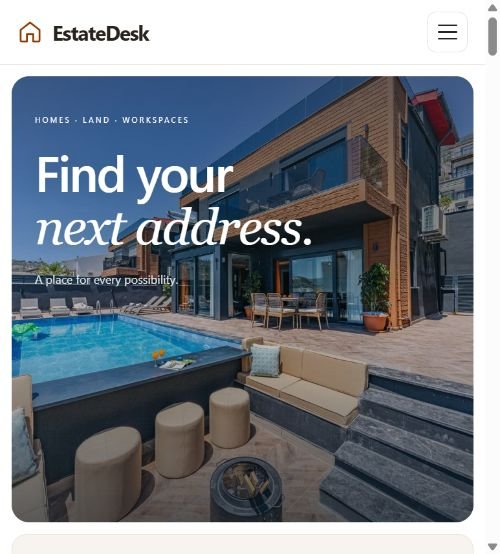
Plan property listings, discovery filters, locality pages and enquiry paths around the information prospective buyers need. EstateDesk provides an interface example using sample listings and illustrative images.

WHO THIS HELPS
Start with a
specific need.
Property businesses that need a public way to organise listings, explain locations and collect relevant enquiries.
Prospective buyers need consistent property details and useful ways to narrow their search. Your team needs an agreed listing structure and enough enquiry context to understand the visitor’s interest.
Discuss the scopeSHAPED AROUND THE TASK
What we can
plan together.
The features follow your users, content and workflow. We agree the scope before development.
Property discovery
Scope filters such as property type, budget and location around the information in your listings.
Listing detail pages
Organise approved photos, specifications, amenities and other relevant details in a consistent layout.
Locality and collection pages
Group listings by useful areas or categories and explain the context visitors need to compare them.
Property enquiry paths
Plan how a visitor asks about a listing and what information your team needs to respond.
A CLEAR FIRST SCOPE
Know what
you are building.
EstateDesk is a demo with sample listings and illustrative photography. It demonstrates a public property interface. Tenant administration, rent collection, private management screens and CRM connections require their own agreed scope.
- An agreed listing structure and property information model
- Responsive discovery, collection and detail page layouts
- Filtering and enquiry journeys for the agreed scope
- A listing maintenance and handover plan
FROM REQUIREMENT TO HANDOVER
A practical path
through the project.
- 01
Understand the inventory and audience
Identify who will browse, which listing details are available and who will keep them current.
- 02
Shape the discovery journey
Agree filters, listing pages, locality information and the context needed when someone enquires.
- 03
Review the agreed experience
Check the interface with approved or clearly labelled sample content, test the scoped enquiry path and confirm the handover.
BEFORE WE BEGIN
Useful questions.
Is EstateDesk showing properties available for sale?
No. The preview uses fictional sample listings and illustrative images to demonstrate the interface. It is not a live property inventory or evidence of completed property transactions.
Can our team maintain the listings?
We agree which details need updates, who maintains them and how changes are reviewed. A suitable editing or managed update workflow is defined as part of the project scope.
Can listing enquiries connect to our CRM?
We can assess the enquiry fields, the CRM’s supported connection methods and your account access. Assignment, follow-up rules and delivery checks are confirmed and tested within an agreed integration scope.
YOUR NEXT STEP
Tell us what
you want to make easier.
Share the task, the people using the solution and any tools it needs to connect to. We’ll clarify the requirements and the first scope.
Discuss your requirements